Google’s NotebookLM has quietly evolved from a document assistant into something much more powerful.
What started as a tool for asking questions about PDFs and notes is now becoming an AI-powered research analyst, report builder, file creator, and workflow assistant—all inside a single platform.
If you’ve been using NotebookLM casually, these new capabilities may completely change how you work.
The latest update introduces AI-powered research, autonomous task execution, file generation, and built-in computing resources that allow NotebookLM to do much more than summarize information.
For business owners, marketers, researchers, educators, and content creators, this could be one of the most important AI productivity updates of the year.
Let’s break down exactly what changed and why it matters.
What Is NotebookLM?
NotebookLM is Google’s AI-powered research and note-taking platform designed to help users understand information faster.
Traditionally, users would:
- Upload PDFs, documents, websites, or notes
- Ask questions about the content
- Receive AI-generated answers with source references
It was useful—but relatively limited.
The latest release changes that dramatically.
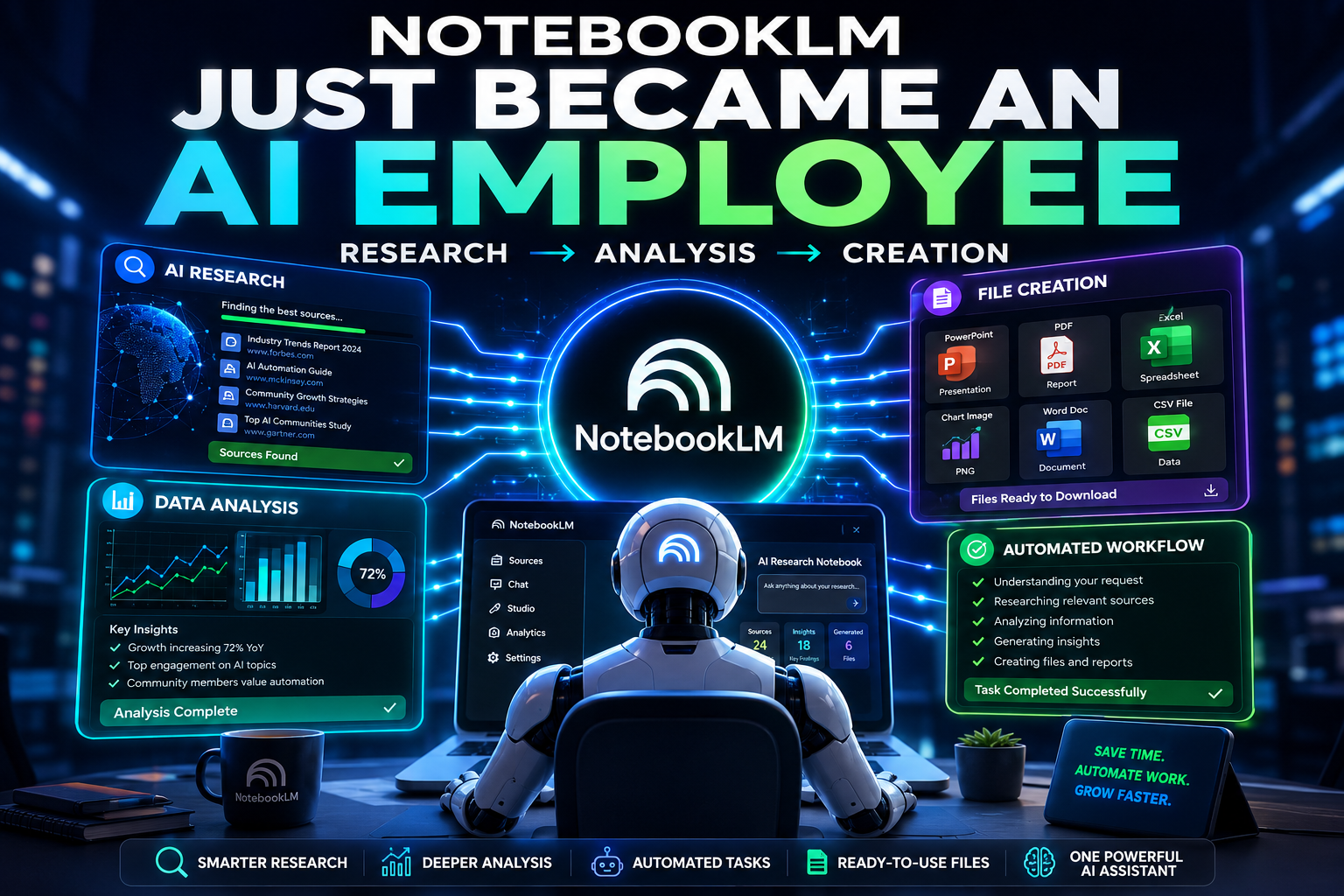
Instead of simply answering questions, NotebookLM can now actively help perform research, analyze data, generate files, and automate complex tasks.
Why This NotebookLM Update Matters
Most AI tools today do one thing well:
| Tool Type | Main Function |
|---|---|
| Chatbots | Answer questions |
| Research Tools | Gather information |
| Productivity Apps | Create documents |
| Analytics Tools | Analyze data |
NotebookLM is beginning to combine all four.
Rather than switching between multiple tools, users can potentially move from:
Idea → Research → Analysis → File Creation
inside one workflow.
That’s a significant shift.
The New AI Engine Behind NotebookLM
One of the biggest upgrades is the intelligence layer powering NotebookLM.
Google has introduced a more advanced reasoning system that improves:
- Document understanding
- Multi-step analysis
- Context retention
- Research capabilities
- Source evaluation
For users, this means:
Better Understanding of Large Documents
Instead of struggling with long PDFs, reports, or research papers, NotebookLM can process large amounts of information more effectively.
Stronger Research Capabilities
The system can identify patterns, connections, and insights that may take humans hours to uncover manually.
More Transparent Reasoning
Users can increasingly see how the AI reaches conclusions rather than receiving unexplained outputs.
This improves trust and verification.
NotebookLM Now Has Its Own Built-In Computer
Perhaps the most overlooked feature is the addition of an isolated cloud computing environment.
Think of it as a mini-computer that exists inside each notebook.
This allows NotebookLM to:
- Run code
- Analyze datasets
- Perform calculations
- Generate visualizations
- Create reports automatically
- Execute structured workflows
Even if you have never written a single line of code, this feature can be incredibly useful.
Instead of asking:
“What does this data mean?”
You can ask:
“Analyze this data and create a report.”
The AI performs the work for you.
Over 100 Built-In Skills: What Can NotebookLM Actually Do?
Google reports that NotebookLM includes a large collection of built-in capabilities.
Potential tasks include:
Data Analysis
- Sales trend analysis
- Marketing performance reviews
- Survey result evaluation
- Customer behavior insights
Research Assistance
- Industry research
- Competitor analysis
- Market trend identification
- Literature reviews
Reporting
- Executive summaries
- Research reports
- Client presentations
- Business briefs
Visualization
- Charts
- Graphs
- Tables
- Data dashboards
Instead of collecting information manually, NotebookLM can help transform raw information into usable business assets.
NotebookLM Can Now Create Files for You
This may be the most practical feature for everyday users.
Previously, AI tools could tell you what to create.
Now NotebookLM can generate the finished file.
Supported File Types
NotebookLM can create:
| File Type | Examples |
|---|---|
| Documents | PDF, DOCX, Markdown, TXT |
| Presentations | PowerPoint decks |
| Spreadsheets | Excel, CSV, JSON |
| Images | Charts, graphics, visuals |
| Reports | Research summaries, business reports |
This dramatically shortens the path from idea to execution.
Real-World Use Cases for Business Owners
Let’s look at practical examples.
1. Build a Client Presentation
Prompt:
Create a professional presentation explaining our services and customer benefits.
Potential output:
- Complete slide deck
- Structured messaging
- Visual layout recommendations
- Supporting charts
2. Generate a 30-Day Content Calendar
Prompt:
Build a 30-day content strategy for my business.
Potential output:
- Spreadsheet
- Publishing schedule
- Topic suggestions
- Platform recommendations
3. Create Customer Onboarding Documents
Prompt:
Create a one-page onboarding guide for new customers.
Potential output:
- PDF guide
- Step-by-step instructions
- Welcome materials
- Resource links
4. Analyze Community Feedback
Prompt:
Identify the top reasons customers join and leave our community.
Potential output:
- Trend analysis
- Insight report
- Charts
- Recommendations
Tasks that previously required multiple tools and several hours can potentially be completed in minutes.
The Most Impressive Upgrade: Automatic Source Discovery
Historically, NotebookLM required users to provide sources.
That limitation is disappearing.
Now users can start with a simple idea.
For example:
“Research the best strategies for growing an online AI community.”
NotebookLM can:
- Search for relevant information
- Recommend sources
- Allow user approval
- Build a complete research notebook
This fundamentally changes the workflow.
Instead of gathering information manually, the AI becomes an active research assistant.
How NotebookLM Is Becoming an AI Agent
Many AI products focus on a single capability.
NotebookLM is beginning to merge three powerful categories:
Research Engine
Finds information.
Knowledge Assistant
Understands information.
AI Agent
Performs actions using information.
Together, these capabilities create something closer to a digital analyst than a traditional note-taking application.
Benefits of the New NotebookLM
Pros
- Faster research
- Reduced manual work
- Automatic report generation
- File creation built-in
- Better document understanding
- Data analysis capabilities
- Improved productivity
- Fewer tool-switching requirements
Cons and Limitations
Despite the excitement, there are important limitations.
Always Verify Outputs
AI can still make mistakes.
Generated reports should be reviewed before publication or client delivery.
Rollout May Be Limited
Some features may initially be available only to:
- AI Ultra subscribers
- Google Workspace users
- Early access participants
Source Quality Matters
The quality of outputs depends heavily on the quality of sources.
Poor information still leads to poor results.
How Businesses Can Benefit Most
Organizations that are likely to gain the most value include:
Marketing Agencies
- Research automation
- Client reporting
- Content planning
Consultants
- Industry analysis
- Presentation generation
- Executive summaries
Content Creators
- Topic research
- Outline generation
- Supporting documentation
Educators
- Lesson planning
- Research assistance
- Study materials
Startup Founders
- Market research
- Competitive analysis
- Investor presentations
The common advantage is simple:
Less time spent gathering information and more time acting on it.
Key Takeaways
- NotebookLM has evolved far beyond a document Q&A tool.
- New AI capabilities improve reasoning, analysis, and research.
- Built-in computing resources allow code execution and data processing.
- Users can now generate documents, spreadsheets, presentations, and reports.
- Automatic source discovery removes a major research bottleneck.
- Businesses can significantly reduce time spent on repetitive knowledge work.
- Human review remains essential for accuracy and quality control.
FAQ
What is the new NotebookLM update?
The latest NotebookLM update introduces advanced AI reasoning, automated research, built-in computing capabilities, file generation, and source discovery features that expand its functionality beyond document analysis.
Can NotebookLM create PowerPoint presentations?
Yes. NotebookLM can generate presentation files, allowing users to create slide decks from prompts, research findings, and existing content.
Does NotebookLM run code?
The new architecture includes a secure cloud computing environment that enables NotebookLM to execute code, perform calculations, analyze data, and generate outputs automatically.
Can NotebookLM find sources automatically?
Yes. One of the biggest upgrades is source discovery. Users can start with an idea, and NotebookLM can suggest relevant sources before building a research notebook.
Is NotebookLM free?
Google offers different access levels. Some advanced capabilities may require premium plans or specific Google Workspace subscriptions as features continue rolling out.
How is NotebookLM different from ChatGPT?
NotebookLM is heavily focused on research workflows, source grounding, document understanding, and knowledge management. ChatGPT offers broader conversational AI capabilities across many tasks.
Conclusion
NotebookLM’s latest update signals a much larger trend in AI software.
We’re moving beyond tools that simply answer questions and into systems that actively perform work.
By combining research, analysis, file generation, and task execution into a single platform, NotebookLM is positioning itself as a genuine AI productivity assistant rather than just another chatbot.
For professionals drowning in research, reports, presentations, and repetitive knowledge work, that’s a meaningful step forward.
The technology isn’t perfect yet, and human oversight remains critical. But if Google continues building in this direction, NotebookLM could become one of the most influential AI productivity tools available.
Read Also: Anthropic Claude Fable 5